
You're refreshing your phone after placing a cannabis delivery order, waiting for the next ping that tells you whether the courier is on the way, close by, or already at the door. That little stream of updates is a delivery status notification flow, and when it's done well, it takes the guesswork out of a sensitive handoff without turning your screen into noise.
For adult customers in DC, Maryland, and Virginia, these alerts do more than say “your order is moving.” They help confirm the order is genuine, tell you what to do next, and protect your privacy when the courier arrives. The best systems feel calm, discreet, and specific, which matters even more when the order has to fit local rules, ID checks, and the practical demands of same-day delivery.
What Delivery Status Notifications Actually Do
A new customer in DC often notices the value of delivery status notifications the moment the order is placed. The screen changes, the phone buzzes, and suddenly the wait feels more manageable because each update gives the order a known place in the process. That's the job here, not just “tracking,” but turning a moving courier into something the customer can read with confidence.
The three jobs that matter most
The first job is confirmation. A good alert tells the customer the order has been received, accepted, and is moving through the system. In email delivery terms, the IETF standardized the modern reporting model in September 2003 with RFC 3461, which set the technical basis for automated success, delay, and failure reporting in email systems, and that same logic still shapes how modern delivery reporting works today (RFC 3461 background and delivery-status context).
The second job is direction. Each message should tell the customer what happens next, whether that means getting an ID ready, staying reachable, or meeting the courier at the door. The third job is privacy. A discreet flow keeps the message useful to the buyer without advertising sensitive details to anyone else who might glance at the phone.
Practical rule: a useful alert changes the customer's next move, it doesn't just create another buzz.
That's why this guide stays focused on the delivery flow for cannabis orders in DC, Maryland, and Virginia, not on deep RFC theory. DSNs in practice are machine-readable reports that tell systems where a message is in the delivery pipeline, including temporary delay and permanent failure states, which is the same kind of clarity customers need when they're waiting on a courier. In a delivery context, calm communication beats constant chatter.
The Channels That Carry the Message
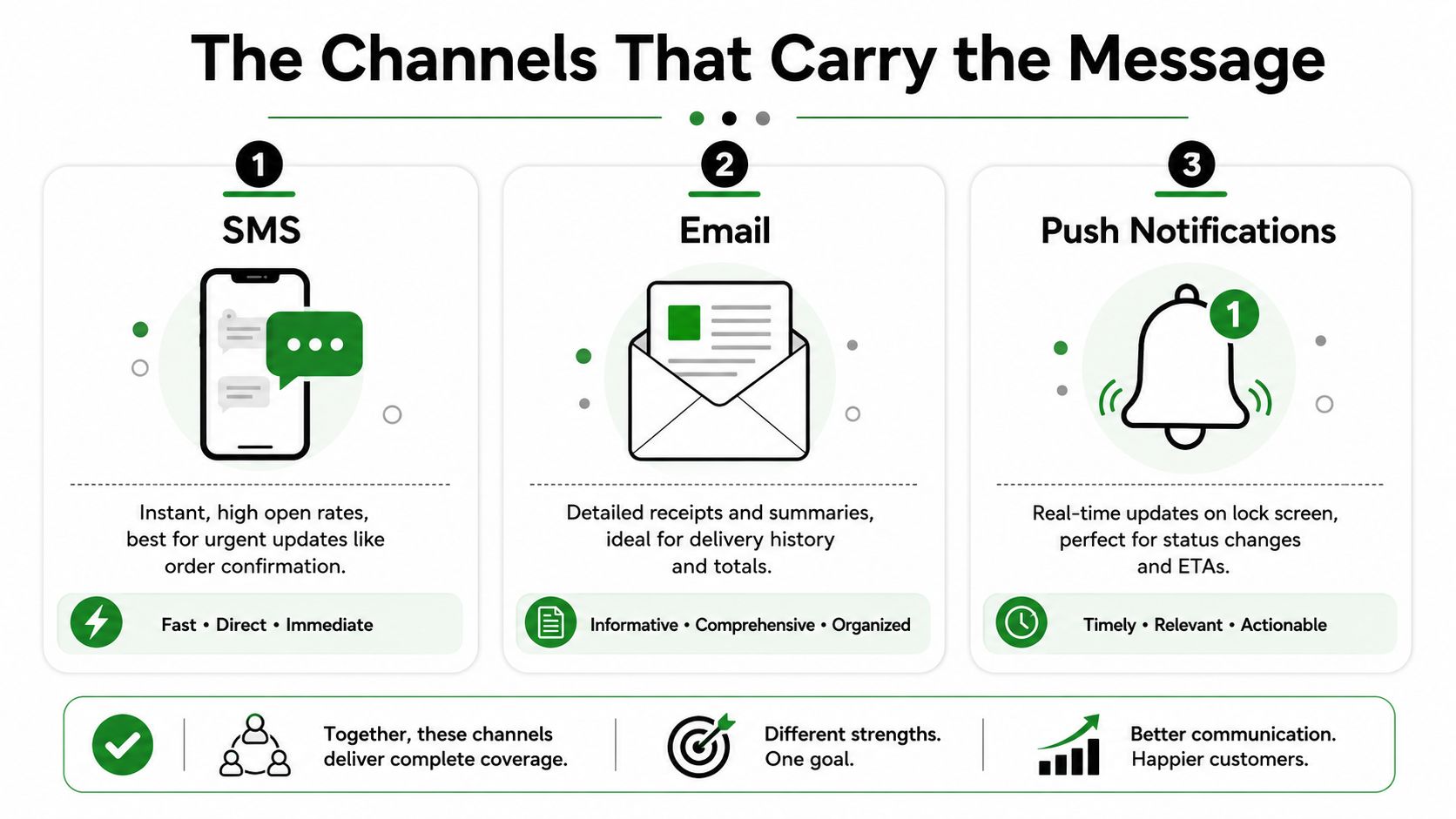
The channel matters as much as the message. A discreet delivery flow usually works best when each channel has a clear job, because SMS, email, and push notifications each fail in different ways and each shine in different moments. If you pick one channel for everything, you'll end up with missed alerts, cluttered inboxes, or updates that arrive too late to help.
Use each channel for a different job
SMS is the best fit for time-sensitive cues like courier assignment, nearby status, or a short delivery delay. It lands where users already look, and market-level data from 2021 showed delivery updates were most often preferred via SMS (45%) and email (39%), which aligns with the fact that people want the fastest channel for urgent status changes (AfterShip tracking history and channel preferences context).
Email works better for receipts, order summaries, and delivery history. It's the channel you can save, search, and revisit later, which makes it better for records than for “courier is outside” moments. If the system needs to show a status trail, email is usually the cleaner archive.
Push notifications fit customers who live in the app. They're useful for fast visual updates, but they're also easier to miss if notifications are muted, the phone is on Do Not Disturb, or the app permission got turned off. That means push should support the flow, not carry it alone.
| Channel | Best For | Watch Out For |
|---|---|---|
| SMS | Urgent updates, arrival timing, quick action | Wrong phone number, landline issues, message fatigue |
| Receipts, order detail, delivery history | Spam filtering, delayed reading | |
| Push | In-app status changes, live progress | Notifications turned off, Do Not Disturb |
A strong cannabis delivery setup usually pairs a primary urgent channel with a secondary record channel. That way, the customer sees the live status quickly, and still has a saved copy of the details if anything needs to be checked later.
Keep the urgent update short, and keep the record somewhere searchable.
The Full Lifecycle of a Cannabis Delivery Alert
A lot of people think delivery status notifications are just “order confirmed” and “delivered.” In practice, the useful ones follow a chain of decisions, and each step should say something different. That's especially true for same-day cannabis delivery, where the customer may need to prepare an ID, clear time, or wait for the next meaningful update.
Green Express DC order tracking systems should be designed around the same idea, one message for confirmation, another for movement, another for arrival, and one final status when the handoff is done.
The milestones that matter
A clean lifecycle usually looks like this, with each alert serving a different purpose:
- Order received. The customer needs reassurance that the order exists and the system caught it.
- Payment confirmed. This tells the buyer the order can move forward.
- Order packed. This is mostly internal, but it can help when the customer needs a heads-up that dispatch is close.
- Courier assigned. Now the order has a person attached to it, which makes the next ETA more meaningful.
- Courier en route. This is the point where status becomes useful.
- Nearby. The customer should be ready to meet the courier.
- Arrived. This alert should be brief and direct.
- ID verified. The system should confirm that the handoff is complete and compliant.
- Delivered or completed. This closes the loop.
In a privacy-sensitive flow, the early alerts should stay general. The customer doesn't need the full back-end story about packing checks, route logic, or internal handoffs. They do need to know when the order moves into a stage that changes their own next step, especially when they need to have ID ready at the door.
The technical idea behind this structure is the same one that governs machine-readable DSNs. RFC 3464 defines status codes with three numeric fields, where 2 means success, 4 means a persistent temporary failure, and 5 means a permanent failure, with extra fields identifying the likely source and precise error when known (RFC 3464 status code structure). That matters because delivery systems work best when they can distinguish between “wait and retry” and “stop and close out.”
What each alert should leave out
Not every milestone deserves a message. Internal packing status, repeated GPS pings, and every small route adjustment can make the flow noisy without helping the customer act. The best alerts point to a real decision, not just motion for its own sake.
Sample Notification Copy for Green Express DC
The easiest way to judge a notification flow is to read the words the customer would see. Short, clear copy does most of the work here, and the discreet version should still be easy to understand when somebody else can see the screen. That balance matters in DC, where many buyers want privacy without confusion.
Standard and discreet versions side by side
For order received, a standard message might say, “Your order has been received and is being prepared.” A discreet version could say, “Your Green Express order has been received.” The discreet line gives the customer the same reassurance without exposing product details on a shared lock screen.
For courier assigned, a standard message might say, “A courier has been assigned and your delivery is next in line.” A discreet version could say, “Your order is being prepared for delivery.” Both tell the buyer the process is moving, but the second one keeps the wording broader and quieter.
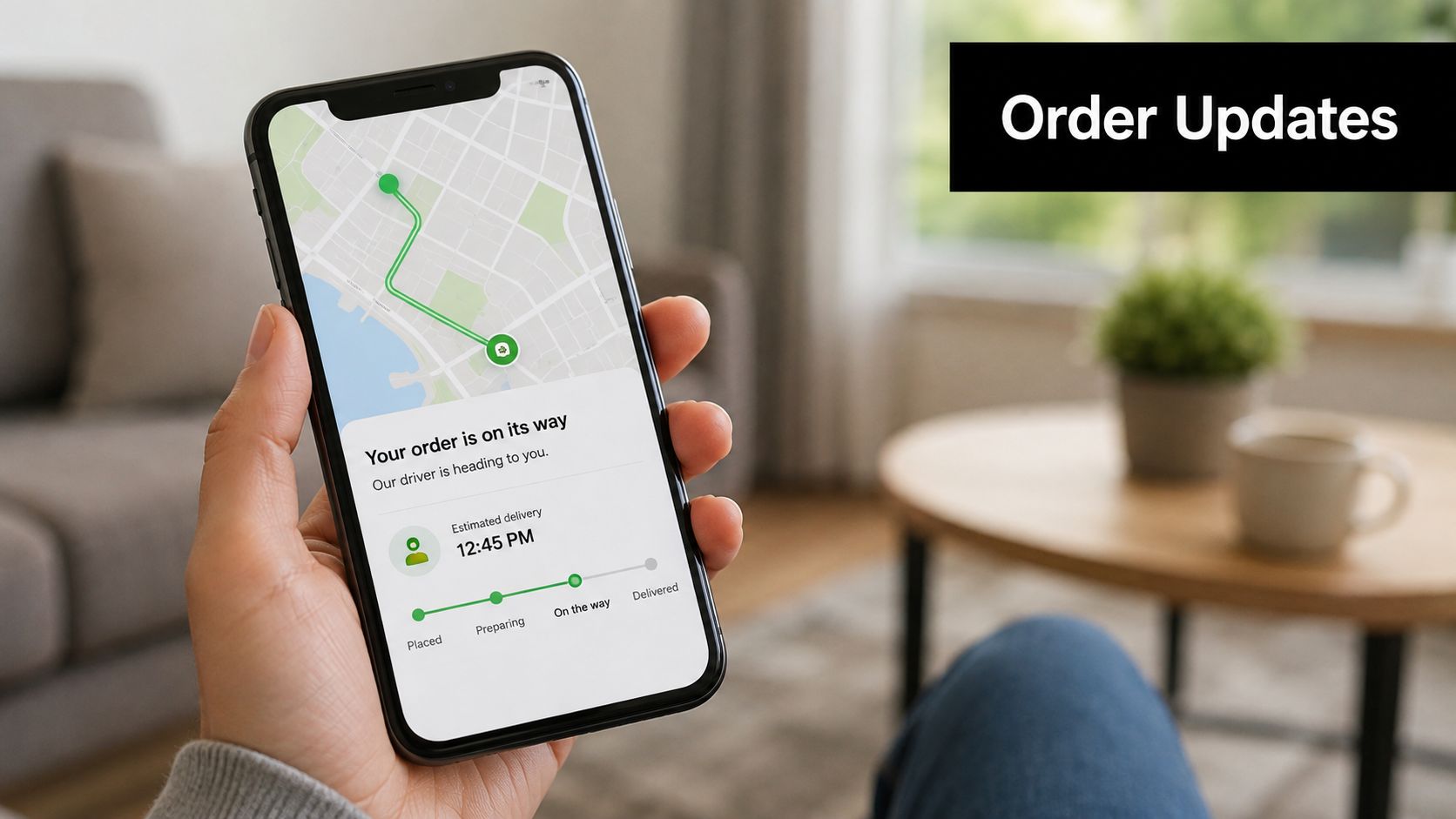
For courier en route, the standard copy can be direct, “Your courier is on the way.” The discreet alternative can be just as useful, “Your Green Express order is on its way.” If you add a tracking link, the customer can choose to open the map only when they want to.
For nearby and arrived, the message should become more action-oriented. “Your courier is nearby, please have your ID ready” is clear, but the tone should stay neutral. A discreet version can say, “Your order is almost there, please be ready to meet the courier.”
For the final handoff, use language that confirms completion without oversharing. “Order delivered and completed” works well, and it gives the customer a final checkpoint for records.
A small line like “Reply STOP to opt out” belongs in the channel footer when required, especially for SMS. The point isn't to make the text longer, it's to make the communication feel respectful and controlled.
The best copy feels like a calm heads-up, not a marketing blast.
What good wording does
It tells the customer where the order stands, whether they need ID, and what happens next. It doesn't force them to decode slang, and it doesn't put sensitive product language front and center. That's the difference between a notification that helps and one that feels like a security risk.
Privacy, Discretion, and ID Verification Timing
A delivery alert can do its job without advertising the order to everyone nearby. That matters on a shared phone, on a work device, or on a lock screen where the message may appear before the customer has a chance to open it. Clear helps. Oversharing creates avoidable friction.
Keep the message useful, not loud
In DC, adult-use possession is legal under Initiative 71, which allows adults 21 and older to possess up to 2 ounces of marijuana, transfer up to 1 ounce to another adult without payment, and cultivate up to 6 plants in a home with no more than 3 mature at one time (DC legal framework summary). Maryland's adult-use law took effect on July 1, 2023, after voters approved Question 4 in November 2022, and the state set the legal possession limit at 1.5 ounces of cannabis flower, 12 grams of concentrated cannabis, or products containing up to 750 mg of THC, while adults 21+ may cultivate up to two plants at home (Maryland cannabis law summary). Virginia is different again, with adults 21 and older allowed to possess up to 1 ounce in public, while retail sales remain prohibited unless the General Assembly creates a commercial market, and home growers are limited to four plants per household with required plant tags (Virginia cannabis law summary).
Those rules shape the message. The courier should verify a valid government ID at drop-off, not on the sidewalk, and the notification should point to that step without turning it into the headline. A customer should know what to do next without feeling like the whole building was told why the courier is there.
What the customer should see
A useful pre-arrival message can say, “Please have your valid government ID ready for drop-off.” That gives the customer a clear task without extra detail. A quieter version can say, “Please have your ID ready when the courier arrives.”
The easiest way to keep the wording discreet is to match the message to the moment. A notification sent too early should stay broad, while a last-step alert can be more specific because the customer already knows a handoff is close. If the message arrives while the customer is away from the door, it should still make sense at a glance.
Preparation matters before the driver is on the road. Green Express DC delivery instructions should spell out what to have ready so the handoff does not stall at the door.
Opt-in and opt-out choices belong in account settings and should shape the channel that carries each alert. If a customer wants SMS for urgent updates but email for receipts, the system should respect that split. If they opt out of one channel, the remaining channel still needs to carry the messages they rely on.
The best wording feels calm and controlled. It gives the next step, keeps product details out of sight, and avoids making the notification look like a public announcement.
Why Fewer Notifications Often Beat More
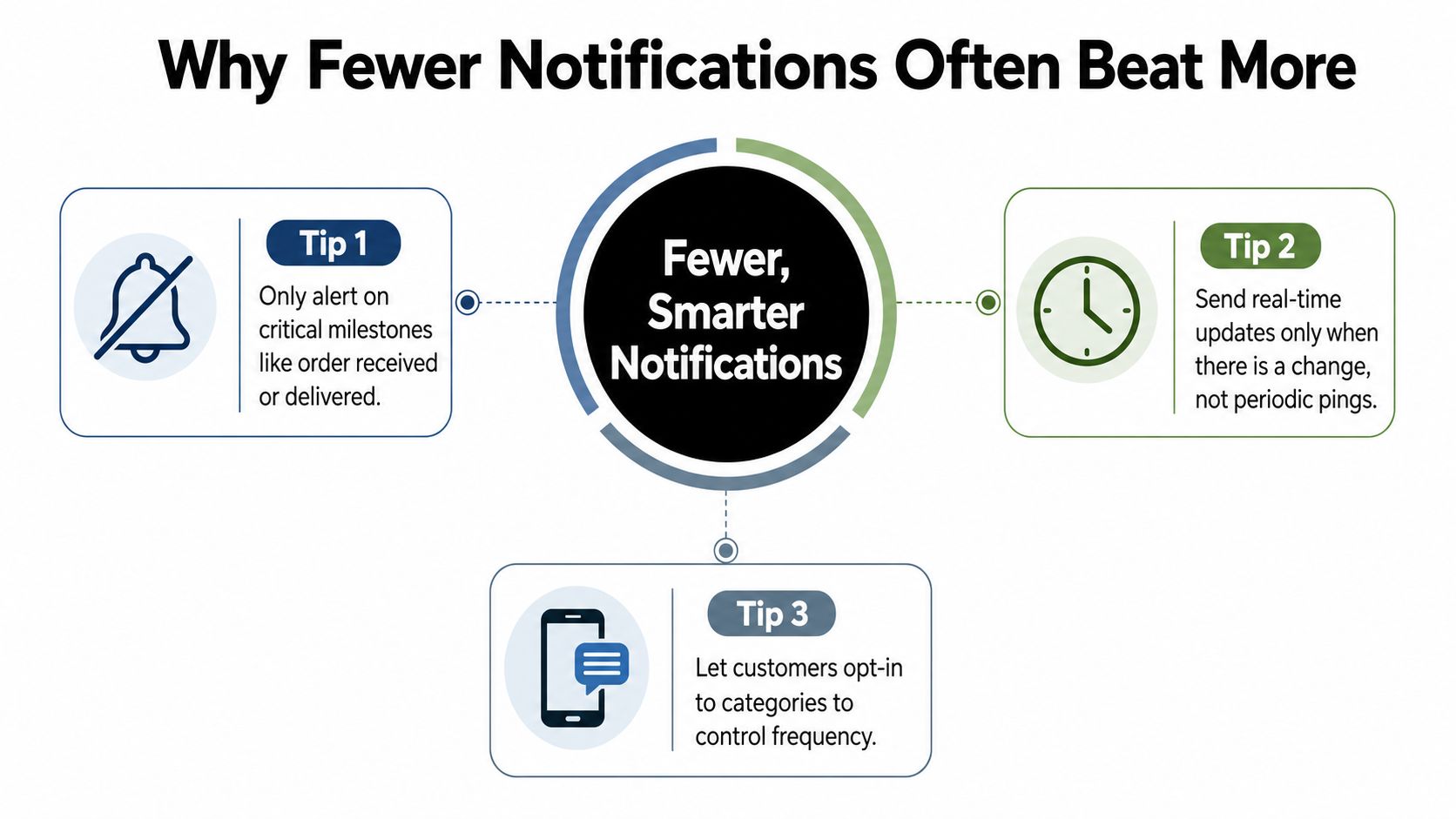
More updates sound helpful until they start to feel like interruption. A customer waiting on delivery usually wants three things, certainty, timing, and one clear next step. Once a system starts pinging for every minor internal movement, the useful messages get buried under the rest.
Keep the milestones, drop the clutter
A selective flow usually works better than a noisy one. The strongest milestones are the ones that change what the customer does next, which is why order received, courier assigned, nearby, and delivered tend to be more useful than repeated route pings or every internal packing note. This matches the practical advice in workflow guidance that recommends focusing on 3 to 5 key milestones and suppressing messages that don't change the customer's next action.
The timing matters too. Near-identical bursts and non-urgent alerts at awkward hours can wear people down, especially when the update doesn't require any action. In a discreet delivery context, that kind of fatigue can make customers start ignoring the messages that matter.
Keep these, skip those
- Keep order received: It confirms the order exists.
- Keep courier assigned: It tells the customer the delivery is entering the active stage.
- Keep nearby or arriving: It helps the customer prepare ID and meet the courier.
- Keep delivered: It closes the loop cleanly.
- Skip internal handoffs: The customer usually doesn't need them.
- Skip every GPS ping: Location drips add noise, not clarity.
- Skip packaging chatter: Unless it changes timing, it's just clutter.
A quieter flow also helps the brand feel more trustworthy. When each alert has a reason to exist, the customer stops second-guessing the system and starts using it the way it was meant to be used.
Troubleshooting and Common Questions
Sometimes a delivery status notification shows up and the customer doesn't recognize it. Other times the status says delivered, but nothing is at the door. The right move is to slow down, check the source, and compare the alert against the order record before assuming the worst.
Why did I get a notification if I didn't place anything
A delivery notice without a matching order can come from a bad address match, a duplicate record, or a message that wasn't meant for you. In broader messaging systems, users also run into bounce-backs and other notices that can stem from spoofing rather than account compromise, which is why the first step is always verification rather than panic (discussion of DSN confusion and spoofing scenarios).
Check the sender name, the order number, and the timestamp. If the alert includes a tracking link, open it only if it matches the brand you expect and the timing lines up with something you ordered. If anything feels off, contact support with the message screenshot, the time it arrived, and your phone number.
What if the status says delivered but nothing showed up
Start with the obvious checks. Look at the delivery instructions, the building entrance, and any message that tells you where the courier left the order. If there's still no sign of the delivery, contact support with the order number and timestamp so the team can reconcile the status against the courier record.
How do I know the alert is real
Real alerts are consistent. They use the same order details across the message, the tracking page, and the support record, and they should not ask for extra personal information in a suspicious way. A true delivery update should describe a status change, not ask you to log in through an odd link or send payment again.
If the message creates urgency without giving you a clear next step, treat it carefully.
How do I change preferences or opt out
If you want fewer SMS messages, switch urgent alerts to email or app push where possible, but keep at least one reliable channel active for status changes. The goal is not silence, it's control. You still want to know when the courier is assigned, when the order is nearby, and when the handoff is complete.
What should I send support
Send the order number, the timestamp, the channel that delivered the alert, and a short description of what you saw. That's usually enough for a team to check whether the status is real, duplicated, delayed, or misrouted. Clear details save everyone time and keep the conversation focused on the fix.
If you want discreet, same-day cannabis delivery in DC with clear status updates and careful ID verification, Green Express DC is built around that kind of experience. Browse the menu, place your order, and see how a well-run notification flow makes the whole process easier. Visit Green Express DC to get started.